General Information
- What is IMDb?
- Why should I register on IMDb?
- Site preferences
- Manage Your Email Subscriptions and Watchlist Notifications
- IMDb Site Index
- Why do I need to enable my cookies on IMDb?
- How can I access or delete personal information IMDb stores about me?
- How do I update my email address?
- Sign in with Facebook not available
- How can I delete my IMDb account?
- IMDb Support Community access - You're about to leave IMDb.com
- How to effectively report problems
- How to report security issues and vulnerabilities
- How to report suspicious emails
- What's your phone number?
- IMDb Text Formatting
- How do I link to a specific page on your site?
- Where does the information on IMDb come from?
- Can I use IMDb data in my software?
- Can I use your data in a book/website/magazine?
- Can I use a photo or video from your site for my web site or publication?
- Digital Services Act Information
- What's the difference between an IMDb page and user profile?
- FAQ for the "Your Profile" feature
- Is my IMDb Profile page private?
- User naming - Username, Real name, IMDb page
- How can I change my Username?
- How can I upload an image to my "Your Profile" page?
- How do I report an inappropriate IMDb profile image?
- FAQ for the ‘Recently Viewed’ feature
- You have so much information! Where should I start?
- How much does using IMDb cost?
- What is the difference between IMDb and IMDbPro?
- How do I break into show business?
- Can you help me contact a celebrity listed on IMDb?
- Can you get rid of the ads on your site?
- What is an Enhanced Page?
- How can I personalize my advertising settings?
- Why do I need to enter a Captcha?
- Boards Closure FAQ
- What software are you using to run IMDb?
- Hammer Software License
- IMDb Partners
- Advertise on IMDb
- Introducing the IMDb API!
- Content licensing
- Press information
How can I change my Username?
To update your username, please visit the "Edit profile" page in the Account Settings section. In the Username field, enter your new username and click "Save changes". This can be achieved via the desktop site (IMDb.com), the IMDb mobile apps (iOS & Android), and the IMDb mobile site.

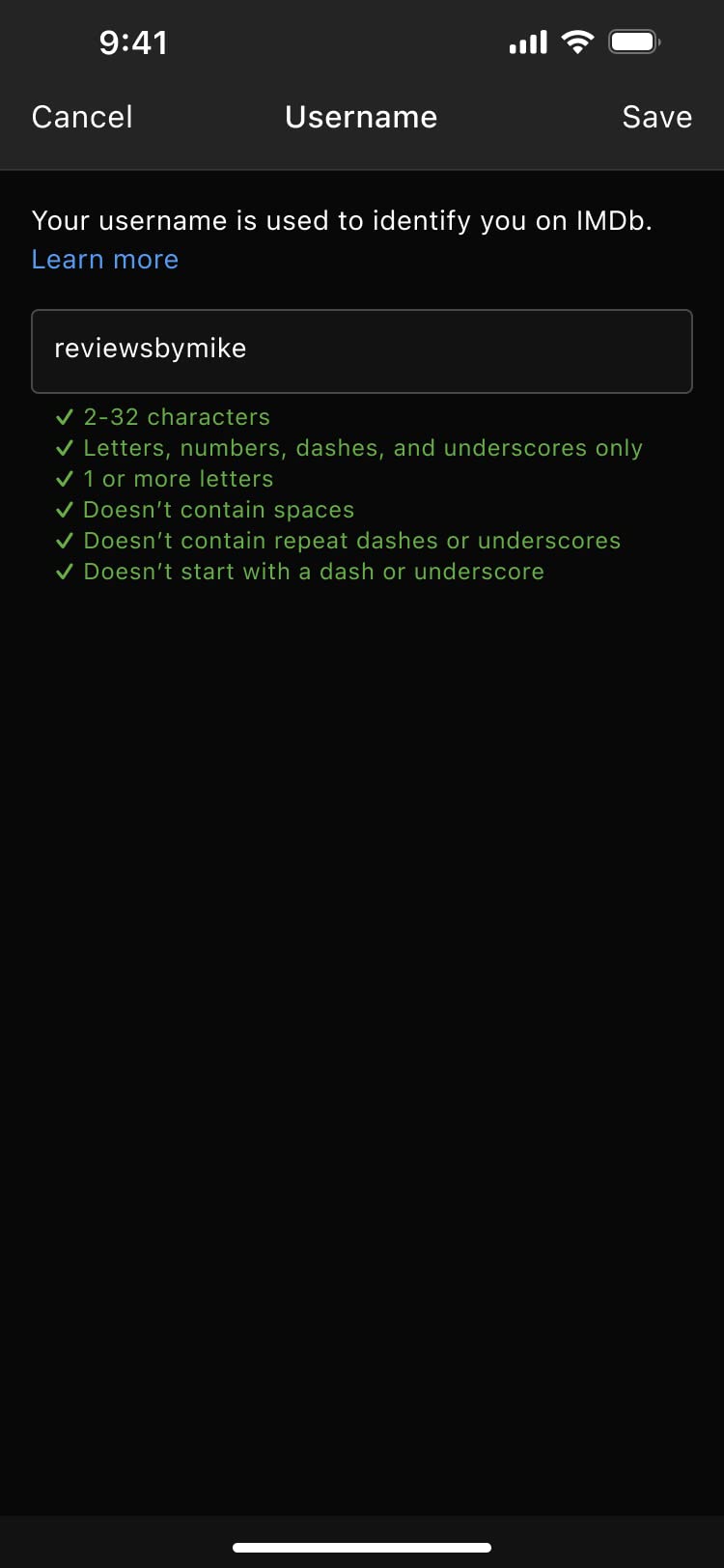

Your username is the ID associated with "Your Profile", along with your public lists, your ratings, your reviews, and your contributions.
Did this answer your question?
Thank you! We’d love to hear more about your experience. Please help us improve by taking this 2 minute survey.
Thank you! We’d love to hear more about your experience. Please help us improve by taking this 2 minute survey.
Thank you! We’d love to hear more about your experience. Please help us improve by taking this 2 minute survey.
Back to top